Skip to content
Scan · forecast · reorder

Never run out of toner again.

TonerPal watches every cartridge in the office, works out the day each one runs dry, and hands you the exact part number to buy — so a dead printer never stops the morning again.

Free for 3 printers · on Google Play · iPhone & iPad in review

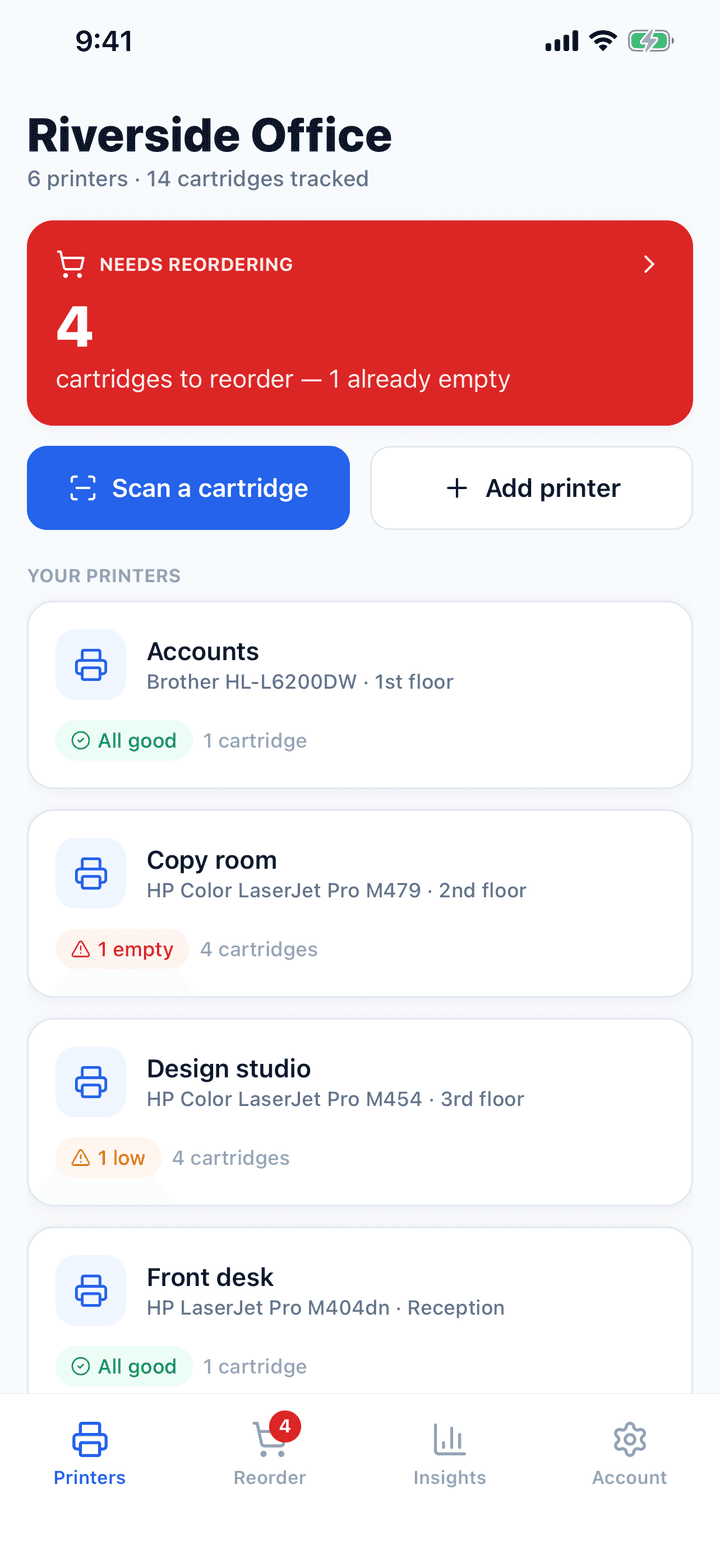
The TonerPal dashboard showing six printers and four cartridges to reorder

Nobody notices toner until the printer stops.

Then it’s a scramble: which printer, which cartridge, what was the part number, who has the account login, and can it be here tomorrow. TonerPal turns that into something you already dealt with last week.

W2013A

Empty

Copy room · Magenta

TN760

Low

Warehouse · Black

CF259A

79 days left

Front desk · Black

Four things, done properly.

Not a list app with a printer icon on it.

Add it

Scan the box. Skip the typing.

Point the camera at the barcode on a cartridge box and TonerPal fills in the part number, brand and page yield from a built-in catalogue of common cartridges. Scan something it doesn’t know and it remembers the code against whatever you enter — so the next box of the same thing fills itself in.

  • Built-in catalogue of common HP, Brother, Canon, Epson, Lexmark and Xerox parts
  • Unrecognised barcodes are learned, not discarded
  • Or type it in — the catalogue matches part numbers as you go
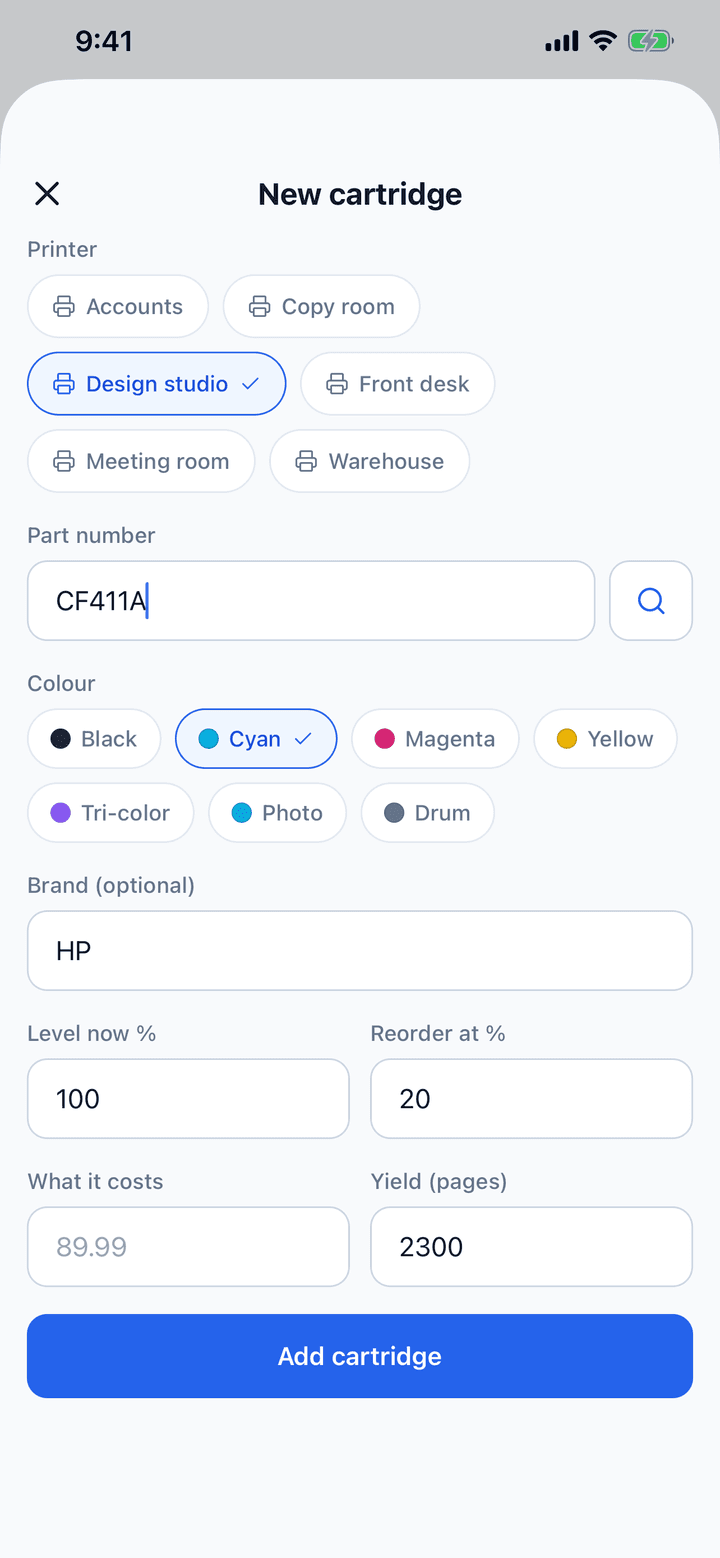
Adding a cartridge in TonerPal, with the part number, brand and page yield filled in automatically
Watch it

Know the day it runs out — before it does.

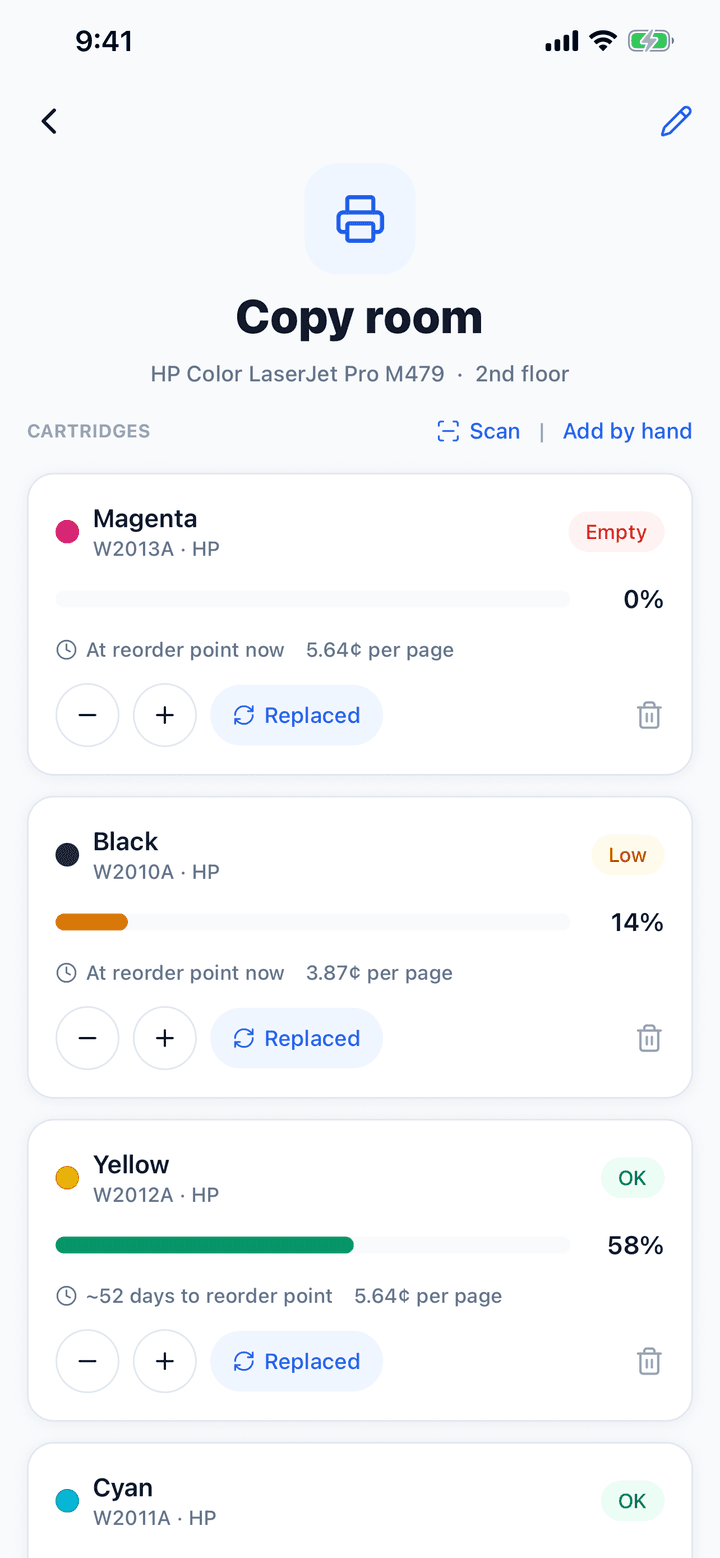
Every level you log is kept, so TonerPal learns how fast each cartridge actually burns down and tells you roughly how many days are left before it hits its reorder point. On a networked printer it can read the levels straight off the device over Wi-Fi.

  • Burn-down forecasting per cartridge
  • Reads levels over IPP from networked printers
  • Says “not enough history yet” rather than inventing a date
A printer in TonerPal showing each cartridge’s level, days remaining and cost per page
Buy it

One list. Every part number. No scramble.

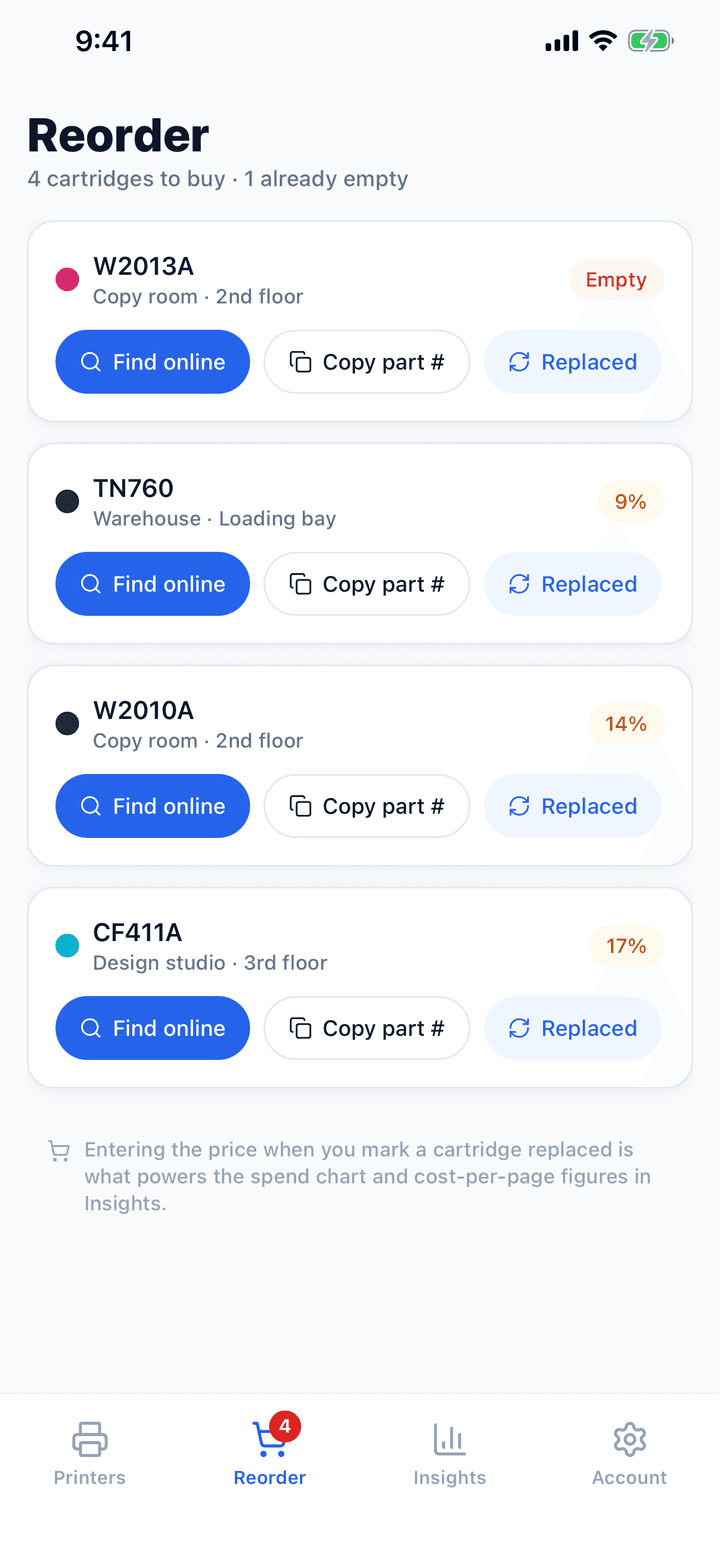
Anything below its threshold lands on the Reorder tab with the exact part number, which printer it belongs to and where that printer is. Search for it, copy the code, mark it replaced — and the price you paid feeds the cost reporting.

  • Sorted by urgency, empty first
  • One tap to search suppliers or copy the part number
  • Marking a swap captures what it cost
The TonerPal reorder list showing four cartridges to buy with part numbers
Account for it

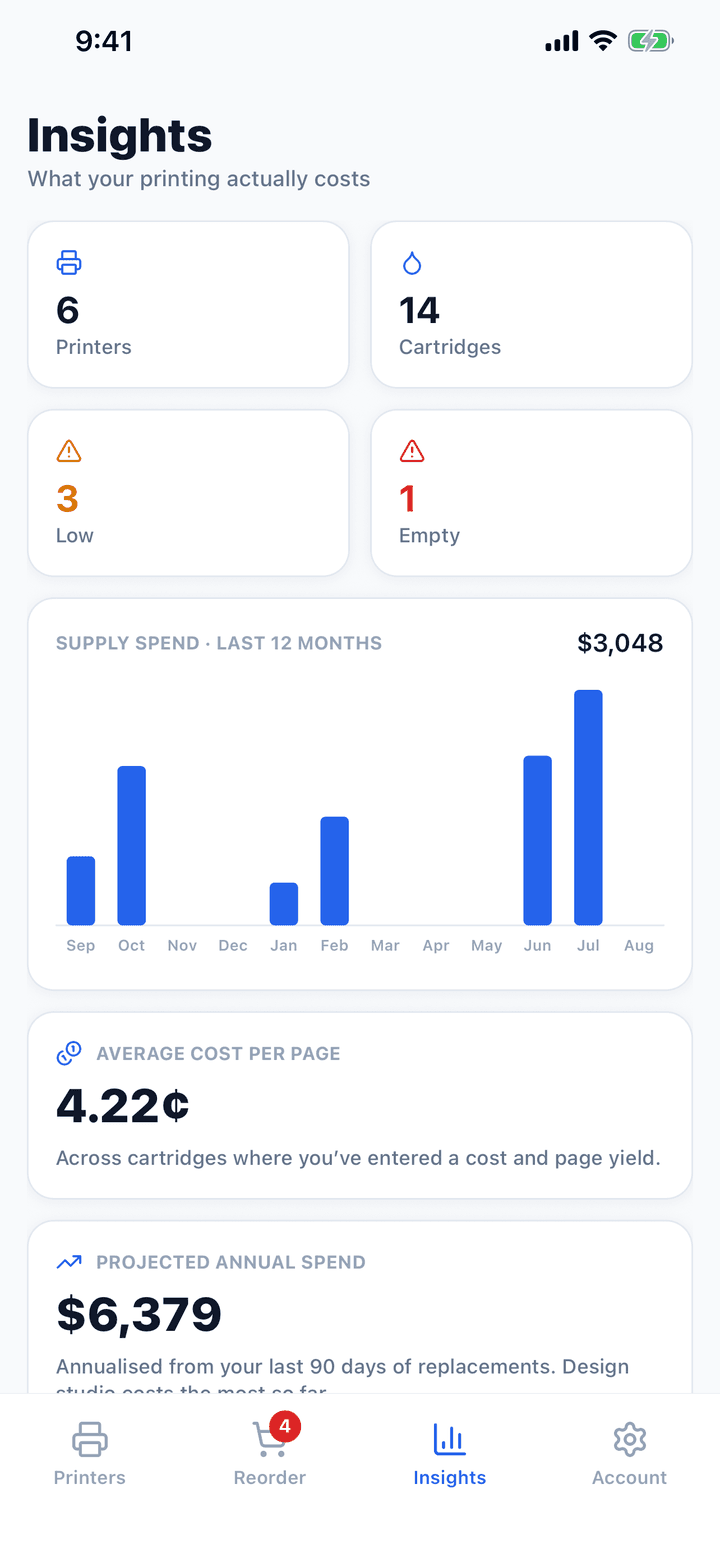
Finally, a number for what printing costs.

TonerPal works out your real cost per page from what you paid and what each cartridge yields, charts twelve months of supply spend, and projects the year ahead. Export the lot as CSV when finance asks.

  • Cost per page across the fleet
  • Twelve months of spend, month by month
  • Inventory and spend history as CSV
TonerPal insights showing supply spend, average cost per page and projected annual spend

What is toner actually costing you?

Have a guess, then move the sliders. Most people are out by a lot.

Cost-per-page calculator

Most offices have never worked this out.

Toner is bought one emergency at a time, so the yearly figure never lands on anyone’s desk. Move the sliders — this is the same arithmetic TonerPal runs on your real cartridges.

6
4,000
$105
3,000

Your cost per page

3.50¢

Supplies each month
$140
Supplies each year
$1,680
Cartridges a year
16.0
Across 6 printers
$10,080

An estimate from one representative cartridge. Real yields are the manufacturer’s approximate figure at about 5% coverage — TonerPal reports your actual numbers from what you log.

Built for the people who get blamed when the printer stops

  • Small offices
  • Schools
  • Clinics
  • Print rooms
  • IT & facilities

Useful before you pay a penny.

Three printers free, with the whole core loop. Pro is for offices with more of them.

Free

$0

Up to 3 printers

  • 3 printers, unlimited cartridges
  • Barcode scanning + cartridge catalogue
  • Level tracking and run-out forecasts
  • Reorder list with part numbers
  • Replacement history
Start free

TonerPal Pro

For offices
$6.99/mo

or $49.99/year — save 40%

  • Unlimited printers
  • Low-toner alerts + daily summary
  • Cost per page and spend reporting
  • CSV export for procurement
  • Everything in Free
Get TonerPal

Billed through your app store. Cancel any time.

Questions, answered.

Who is TonerPal for?+

Any office, school, clinic, print shop or team running a handful of printers without a managed-print contract that auto-ships supplies. If toner gets bought one emergency at a time, this is for you.

What do I get free?+

Free tracks 3 printers with unlimited cartridges, barcode scanning, level tracking, the reorder list and replacement history. TonerPal Pro ($6.99/month or $49.99/year) adds unlimited printers, low-toner alerts, cost-per-page and spend reporting, and CSV export.

Does it read toner levels automatically?+

On networked printers that speak IPP — most modern office lasers and MFPs, including anything that supports AirPrint or Mopria — yes: enter the printer’s IP address and TonerPal reads the levels over Wi-Fi. Everything else you log by hand in a couple of taps, which is why it works with every printer regardless of brand or age.

How does the forecast work?+

TonerPal keeps every level reading and fits a burn-down rate to the current fill cycle, ignoring the jump back up when a cartridge is replaced. From that it estimates the days left before the reorder point. With fewer than three readings it says so rather than guessing.

Is it on iPhone?+

TonerPal is on Google Play today. The iPhone and iPad version is in review — join the list on the download page and we’ll tell you the day it lands.

Is my data secure?+

Your data is encrypted in transit and at rest and protected by row-level security, so your printers, cartridges and history are visible only to your account. You can delete your account and every record attached to it from inside the app, immediately. We never sell your data.

Stop scrambling for toner.

Add a printer, scan a cartridge, and watch the reorder list build itself. Three printers free, for as long as you like.